Having trouble viewing the message below?
View this message in a web browser.
Theme of the Month
Clarity
"Clarity" is the newest of our free downloadable themes. Download via the link below.
How-to Import Theme
Download the new theme from the link above. Remember the location on your computer where you downloaded the theme (*.thm) file.
Run Timeline Maker Professional and open your timeline file.
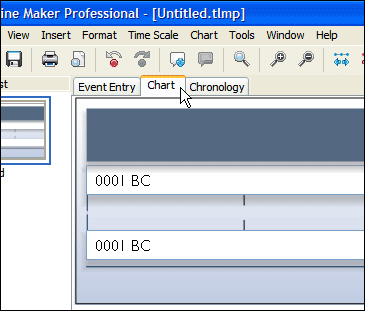
Switch to the
Chart Tab
.
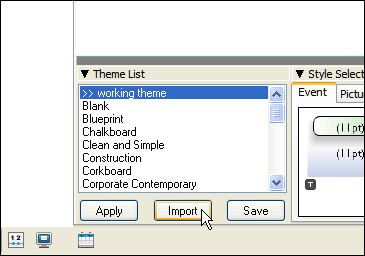
Below the chart, find the
Theme List
and click on the
Import
button.
Browse to the downloaded theme file and choose
Open
.
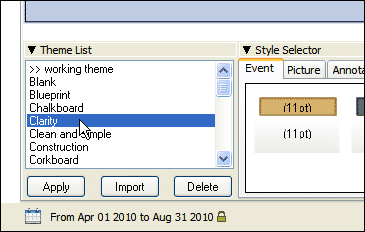
The "Clarity" theme will now appear in your
Theme List
.
For use in any displayed chart, select the theme and click the
Apply
button located in the
Theme List
.
In This Issue:
Tips and Techniques
Timeline Maker in Action
Theme of the Month
Submit Comments or Suggestions
Reader Poll:
Which of our graphic themes do you use?