Windows Bug Causes Chronology Print Error
Attempting to print the chronology shows this error instead...
"AN ERROR HAS OCCURRED IN THE SCRIPT ON THIS PAGE" followed by…"PERMISSION DENIED".
When you see this error, your chronology report will not print. This problem affects the following versions of Timeline Maker:
- Timeline Maker Professional version 2.1.2 or earlier
- Timeline Maker Student 2.6.2 or earlier
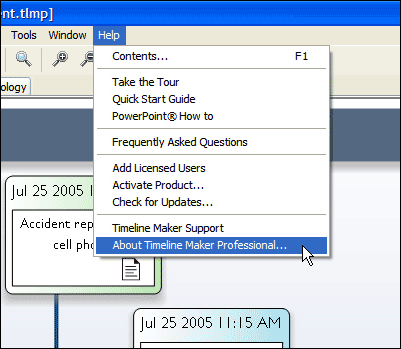
Check your version by running the program and clicking Help > About Timeline Maker.
Note:
This problem is caused by certain Microsoft files (from an earlier Windows update) that Timeline Maker was dependant upon.
Solution
We removed this problematic dependency with our newest versions of Timeline Maker Professional and Student. To get the latest version for
free, click here to
download. Install over top of your existing version (your timeline files will not be affected) and your chronology
report should now print fine.
In a hurry and need a temporary work around?
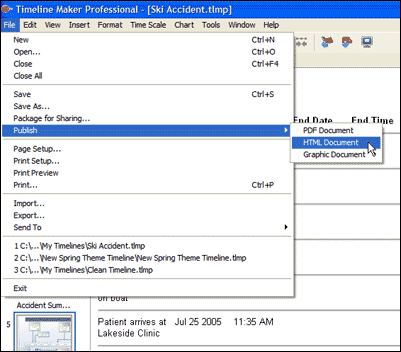
Display your chronology report on screen (click on Chronology tab), then save as an HTML document by clicking File > Publish >
HTML Document. You can then use your internet browser to open, display and print the chronology report.